Definition
Quid est EZCAD?
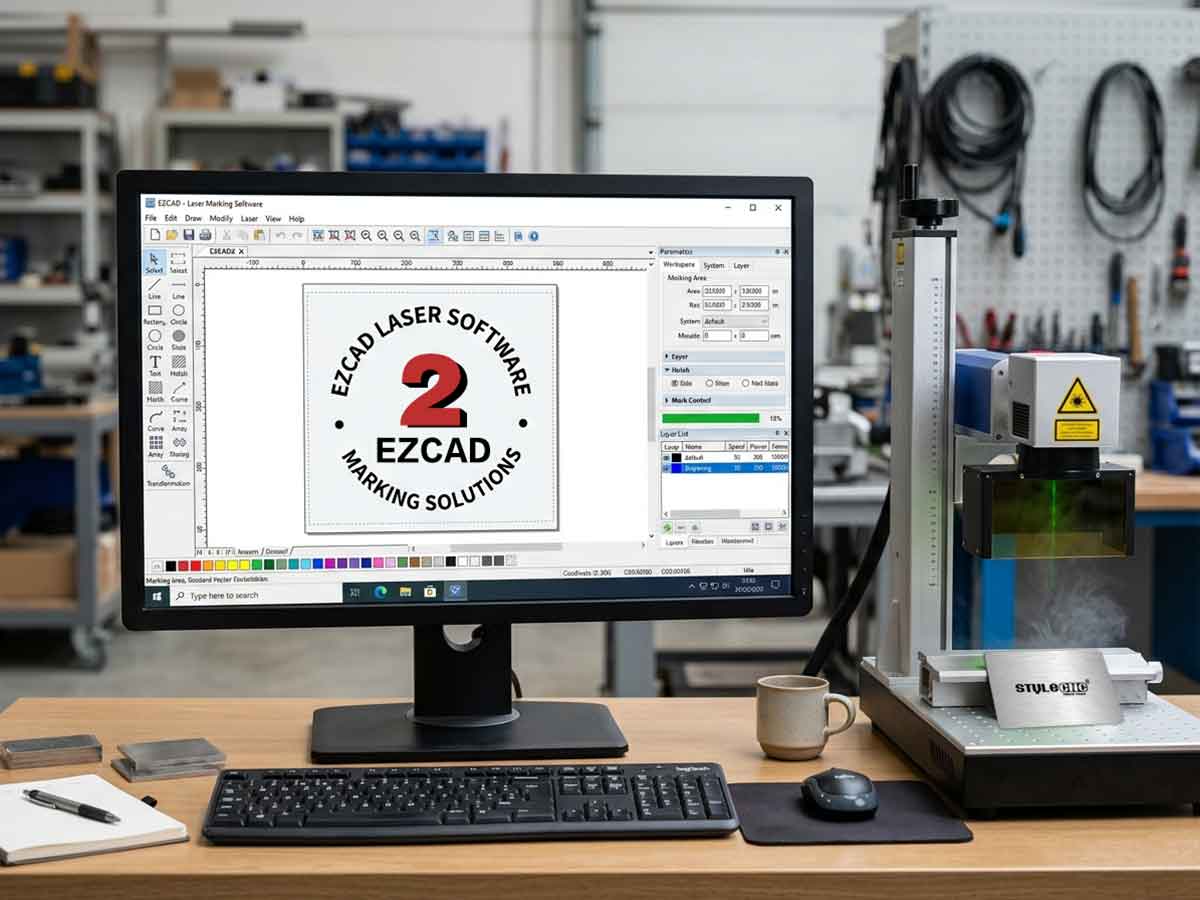
EZCAD est dolor software for laser notati ratio, quae adhibetur in 32 frenum vel 64 frenum systematis operandi in Fenestra XP, Fenestra 7, Fenestra 8 et Fenestra 10. EZCAD tabulam moderandi USB expellet pro laser notationis machinae ad textum, exemplaria, et imagines in superficie obiecti notare.
Features
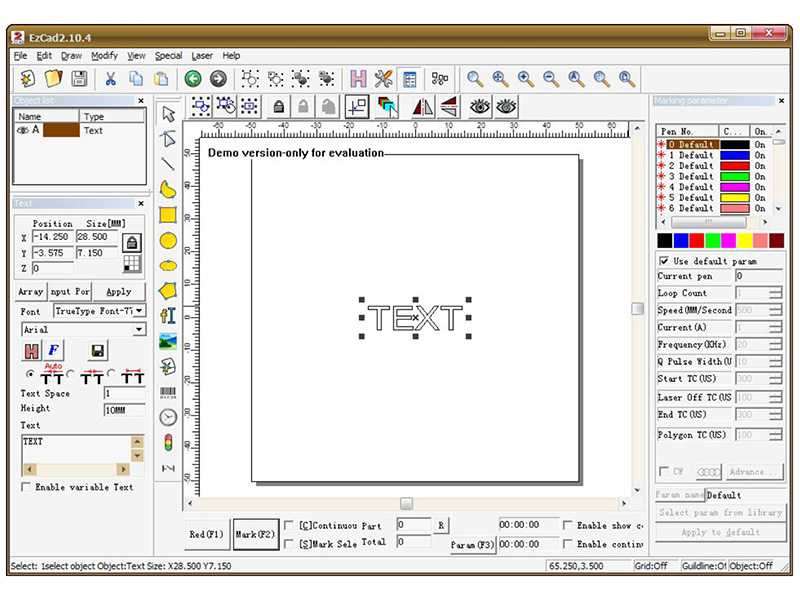
1. Users suos graphics libere designare possunt.
2. Varia fontium genera sustentantur. Quales sunt verae species, SHX, JSF (lineae unius lineae ab EZCAD definitae sunt), DMF (Dot Matrix Font), Codex bar-dimensionalis, 2- talea dimensiva, et sic porro).
3. Textus variabilis flexibilis: textum verum temporis mutat dum in processu laser. Excel datasheet facit.
4. Potest per Vide portum directum textum legere data.
5. Potest per directum retis legere textum data.
6. Fortis nodi munus emendandi curvam modificationem facilius faciunt.
7. Software "pencilles" 265 alere potest, quae graphice haurire solebant et varias processus parametris collocari possunt.
8. Communia imaginum genera sustentantur. (bmp, jpg, gif, tga, png, tif, etc.)
9. Communia vectoris imagines sustentantur (ai, dxf, dst, plt, etc.).
10. Imaginum processus (Grayscale, White / Black Transformation).
11. Validus struendis muneribus, ut undique fovit fulcimentum.
12. Commodius IO geruntur, facilioresque armorum auxilia componendi sunt.
13. Sustinet umbilicum dynamicum (3 systematis axi processus).
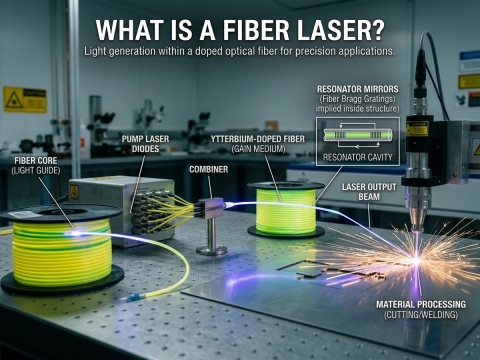
14. SPI G3 fibra laser et novissimus IPG_YLP et IPG_YLPM fibra laser.
15. Aperiens systema linguae favens facilem efficit ut programmata variarum linguarum suggestu discurrat.
Installation
Quomodo insall EZCAD programmata pro machina tua laser notati?
Software EZCAD in laptop vel PC currere potest cum 900MHz CPU et 256MB RAM saltem. In genere commendamus quam celerrime laptop vel PC in promptu. EZCAD in Microsoft Fenestra XP in evoluta est et in Fenestra XP, in Fenestra VII, in Fenestra VIII et in Fenestra X.
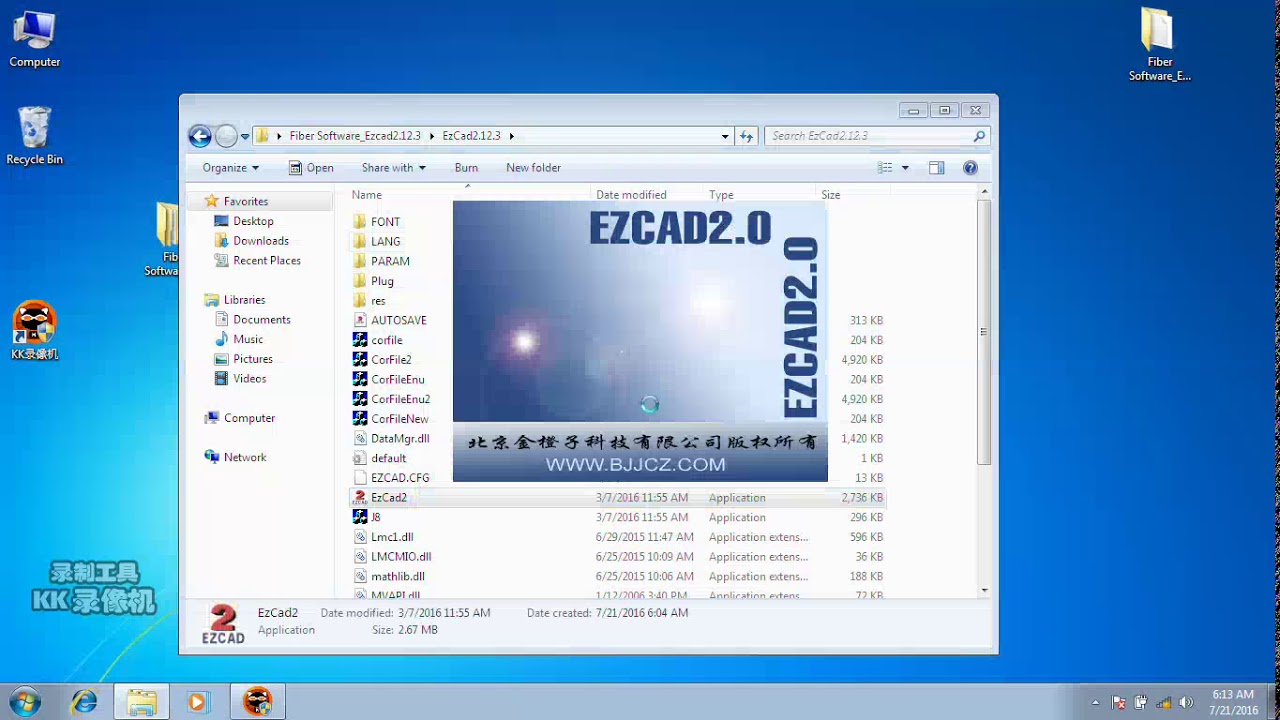
Installatio EZCAD facillima est. Tantum fasciculum EZCAD, qui in disco Installationis est, in discum durum exscribere debes, deinde fasciculum EZCAD.exe sub directorio EZCAD bis cliccare ut programma exsequaris.
EZCAD requirit programmata securitatis machinam interdum. Haec fabrica pluga in USB in computatrum portum. Si dongle non est vel dongle non recte instituitur, cautio apparebit et programmata in demo statu operabuntur. In demo statu, programmatum aestimare possumus sed limas servare non possumus nec machinam laser notati temperare.
Gradus 1. Effingo contenta USB coegi, EZCAD software folder ut computatrum tuum. Nota additamenta imaginum et folder in EZCAD folder.
Gradus 2. Fac funem USB a tergo ditionis laseris coniungi unitatis cum computatrum tuum "Documenta mea", et clavis potentiae laseris in volvitur.
Gradus 3. Cum mure, sinistra deprime in fenestra iconem committitur, et deprime in machinis et impressoribus. Videre debes et fabricam non specificatam, USBLMCV2 cum Bulla flava admonitionis.
Gradus 4. Ius cliccum in USBLMCV2 et selectis proprietatibus. In tab ferramentis, elige laseris notam ditionis tabulam, strepita possessiones, elige rectores tab. Preme exactoris renovatio et inquisitionem manualem lego. Percurrere ad Documenta mea > EZCAD > Coegi. Elige vel 32 vel 64 frenum folder quod computatrum tuum quadrat. Systema tuum respondere debet ut exactoris renovatio bene sit.
Nota: Potes hanc informationem de computatro tuo invenire eundo ad Committitur > Imperium Panel > System.
Gradus 5. Deinceps ad EZCAD programma breviter fac sic:
Aperi EZCAD folder. In folder EZCAD fasciculum EZCAD debes videre. Dextera click in tabella applicationis EZCAD et exemplum lego. Dextera click in escritorio tuo et crustulum brevem lego. Brevis uti potes, ut programmatum aperias et laser incipias facere creatrix et utilia.
User Manual (PDF)
Hoc facile est inceptorem amicabilem usorem manualem sequi in quo programmate EZCAD utatur pro gradatim in titulum laser.
EZCAD Software User Manual pro laser Vestigium Systems
Intellegendo Parametros EZCAD ad Meliora Resultata Signationis
Parametri EZCAD regunt quomodo laser tuus cum singulis materiis interagat, et recta combinatio celeritatis, potentiae, et frequentiae obtinenda notam puram et repetibilem a nota combusta distinguit. Tribus optionibus principalibus, una cum paucis modificationibus ad singula materia pertinentibus, perficitur congruentia in chalybe inoxidabili, aluminio, materiis plasticis, et superficiebus obductis.
Parametri Principales: Celeritas, Potentia, et Frequentia
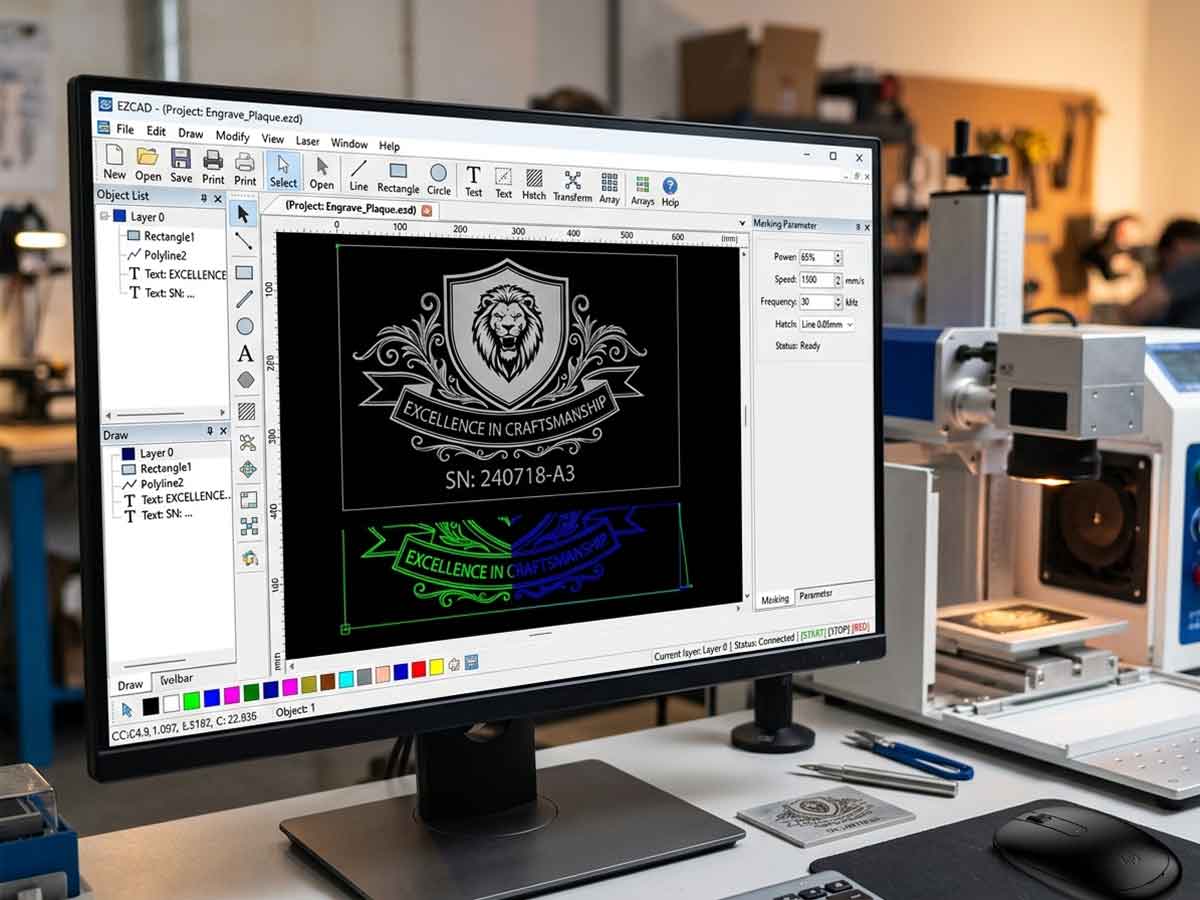
Tabula "Mark-Parameter" in EZCAD fere omnem exitum visibilem in materia tua moderatur. Sive... fibra laser notati machina, a CO2 laser size: smaller;Aut a UV laser notati ratio, hi tres valores omnem exitum formant:
✓ Celeritas (mm/s): quam celeriter caput galvo trabem movet. Celeritas maior notas clariores dat; celeritas inferior sculpturam profundiorem reddit.
✓ Potentia (%): percentatio totius emissionis laseris applicatae. Cum frequentia coniuncta, influxum caloris et contrastum moderatur.
✓ Frequentia (kHz): pulsus. Frequentia humilis pulsus concentratos et profundos ad incisionem metallorum praebet; frequentia alta notas superficiales leviores et leviores pro materiis plasticis et superficiebus anodisatis producit.
Antequam aptes, "Use default param" in tabula dextra deselege, deinde preme "Apply to default" ut mutationes inter sessiones confirmes. Primum parvam tabulam probationis in materia residua curre — humiditas et superficies ornatus ambitum optimum mutant.
Optiones commendatae pro materiis communibus
Utere tabula infra ut initio 30W fons fibrae, deinde per probationes refina. Pro gradibus plenis configurationis, vide nostram Ductor ad systema signandi laseris instituendum.
| Material | Volo | potestatem | frequency | measurement |
|---|---|---|---|---|
| Chalybs inoxidabilis (niger) | M mm / s | 70% | 20 kHz | Multi-transitus pro profunditate |
| aluminium anodized | M mm / s | 30% | 60 kHz | Nota superficialis levis |
| Vestibulum auctor vestibulum lectus | M mm / s | 30% | 25 kHz | uno pass |
| Brass | M mm / s | 80% | 30 kHz | Levis defocus |
| Metallum obductum | M mm / s | 50% | 40 kHz | Transitus singularis bene operatur |
Pro alternativis licentiatis et gratuitis, perlege collectionem nostram de... Optimum programmatum sculptoris laserici.
Frequenter Interrogata De quaestionibus
Estne EZCAD compatibile cum Windows 11?
EZCAD2 in systematibus Windows XP usque ad Windows 10 operatur. EZCAD3 systemata Windows 10 et 11 cum rectoribus 64-bit sustinet, quamquam fortasse necesse erit tibi applicationem subscriptionis rectoris in prima institutione inactivare. Versionem cum tabula moderationis laseris tuae congruere.
Quas formas fasciculorum EZCAD accipit?
EZCAD fasciculos AI, DXF, PLT, DST, BMP, JPG, GIF, PNG, TIF, et TGA importat. AI et DXF nitidissima vectoria efficiunt, dum imagines raster saltem 600 DPI ad acutam incisuram esse debent.
Cur notatio mea subito tardatur?
Parametri impliciti valores proprios superant cum "Use default param" notatum manet. Quadratum in tabula dextra notam remove, "Celeritatem" et "Potentiam" manu repone, deinde "Apply to default" preme ut optiones tuas inter sessiones retineas.
Possumne EZCAD sine adaptore USB uti?
Minime. Sine clave securitatis in portu USB functionante, EZCAD in modo demonstrationis currit, fasciculi servari non possunt et laser non accenditur. Si non agnoscitur, Instrumentorum Administratorem inspice.
Cur lineae albae sunt cum niger in chalybe inoxidabili notatur?
Methodum hachurum muta, fasciculum leviter defocaliza, frequentiam auge, et distantiam lineae adapta. Notatio inclinationis focalis cum lineis hachurum imbricatis hiatus eliminat et superficiem nigram uniformem producit.
Quomodo schedam datorum Excel pro textu variabili importo?
Instrumento "Textus" utere, "Textum Variabilem Activa" activa, "File" elige, et chartam CSV vel Excel coniunge. EZCAD per inscriptiones automatice iterat, aptum numeris serialibus et codificatione in serie. Vide nostram... Dux ad difficultates solvendas programmatis incisionis lasericae pro communibus insidias.
Num EZCAD regulariter renovare debeam?
Ita. Conflictus rectorum correctionis renovat et auxilium pro fontibus laseris recentioribus addit. Ea cum... coniunge. consuetudo quotidiana curationis ut constans sit effectus.